Elina lets you collaborate on learners and groups with other educators in your organisation. This is available on the School plan.
Collaborating on a learner
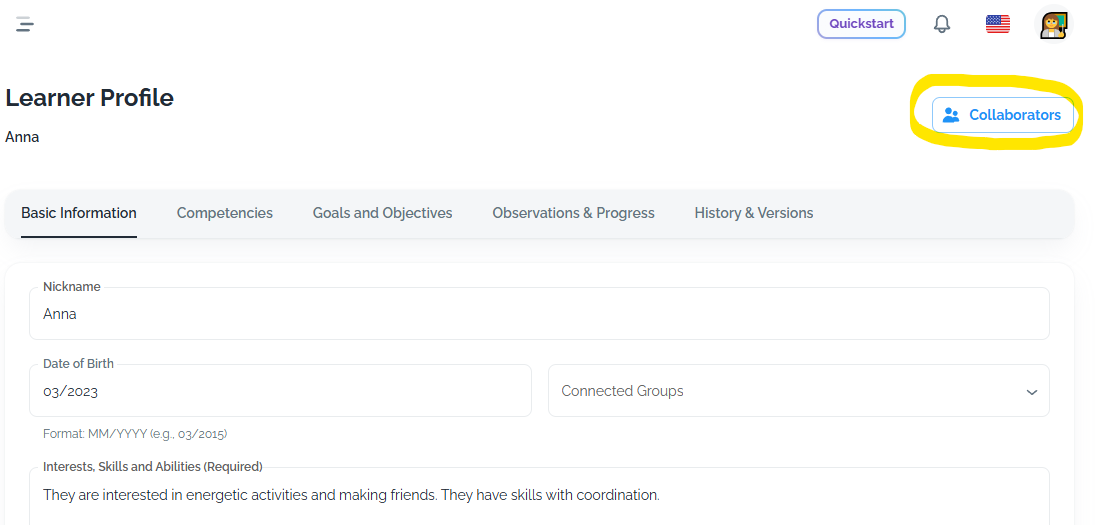
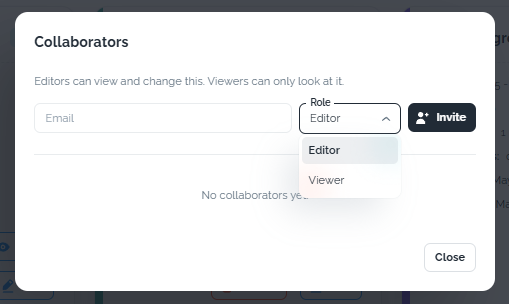
When you create a learner, you will see a collaboration option in the top right of the learner profile. You can also manage collaborators on the learners page, inside the individual learner card. Use it to invite other educators in your organisation to collaborate. The educator you invite can sit in a different school or unit. They stay connected to the same learner.
Collaboration matters because
- Observations stay in one place, so the whole team builds on the same picture of the child.
- Colleagues can add their own observations directly.
- Educators working with the same learners and groups can create activities and lesson plans that suit these individuals.
Working with collaborators
As the creator, you can:
- Invite collaborators as a viewer or an editor.
- Edit learner and group information.
- Remove collaborators.
- Change a collaborator's role from the Collaborators button.
Editors can:
- View and update learner profiles.
- View and edit group profiles.
- Create group profiles for groups that do not have one yet.
- Add relevant observations.
- Include the learner in groups.
An editor has the same access as you. They cannot add new collaborators.
Viewers can:
- View the learner or group shared with them.
- See the observations and information the team has gathered.
A viewer cannot make any changes.
Collaborating on a group
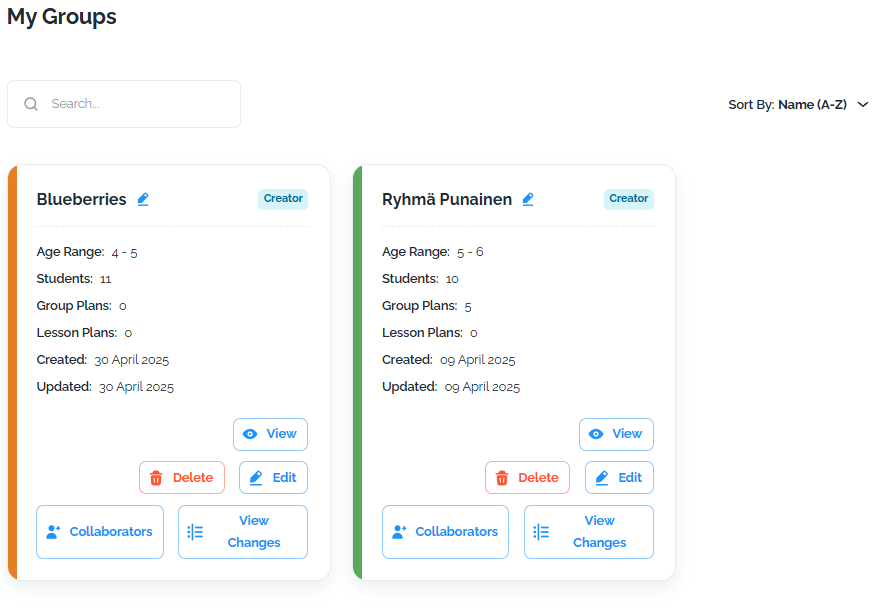
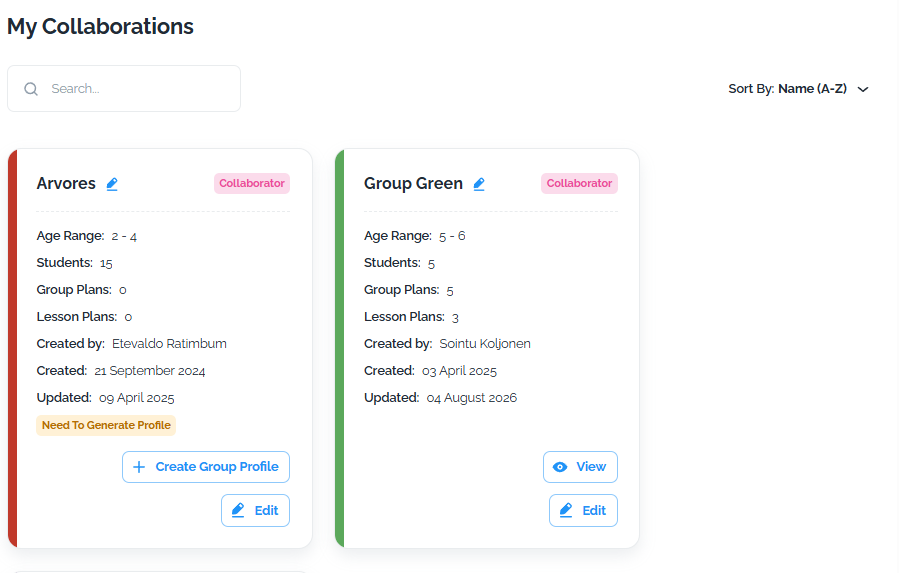
Groups work the same way. When you create a group, you can invite other educators to collaborate. Editors can view and edit the group information when needed. Viewers can see it but cannot change it. You can see the changes made by your collaborators, so you always stay informed.
Knowing your role
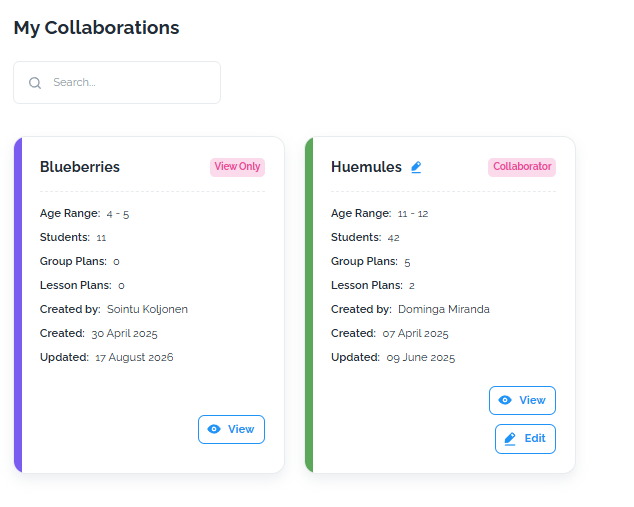
You can see whether you are a collaborator or the creator of a profile from the pink "collaborator" label. If a learner or group has been shared with you as a viewer, you will see a pink "View only" mark in My collaborations. All groups you collaborate on appear in the My collaborations section on the group page. The creator can change access rights at any time from the Collaborators button.
Still need help?
Email us